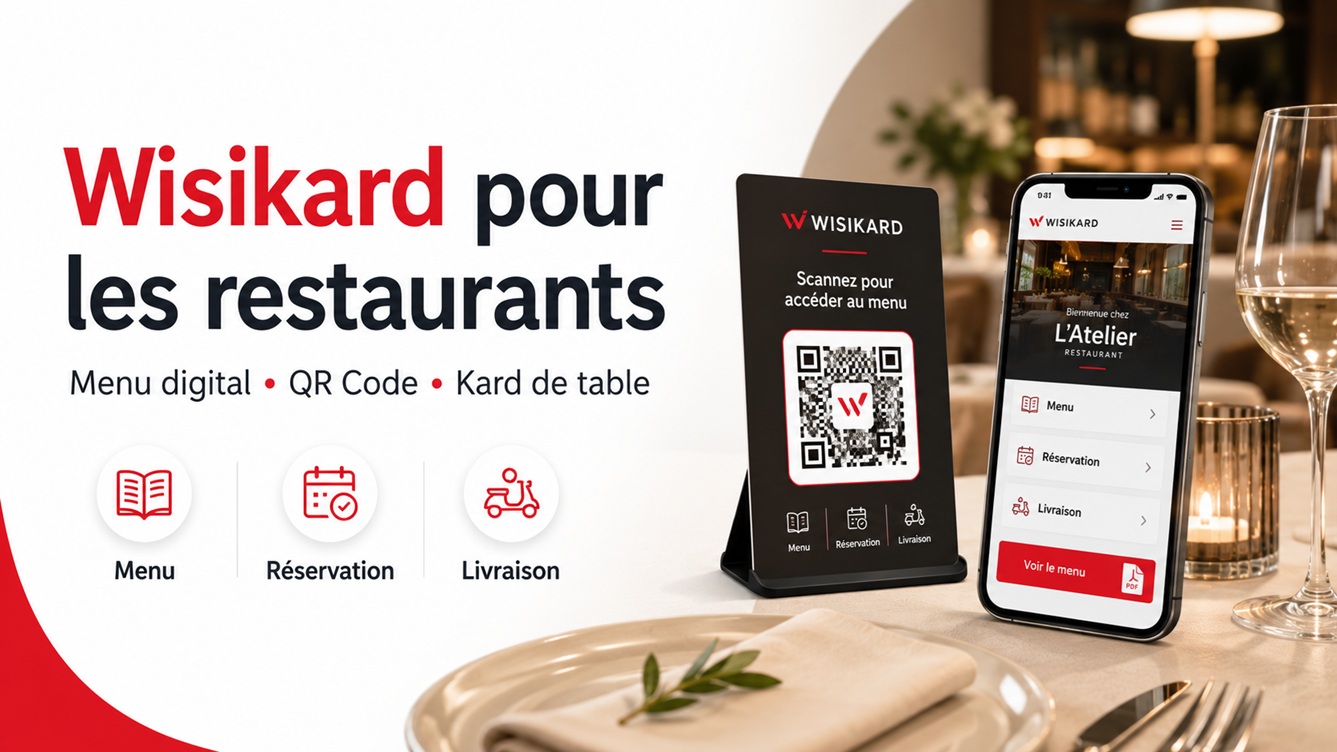
Reprinting menus or replacing QR Codes after every change can quickly become a burden. With Wisikard, restaurant owners have a single access point via QR Code to centralise their menu and all their useful information.
Establishments such as Le 38 Boulevard, L’Athéna, L’Île aux Sandwichs, Casa Pizzas or La Piccola Italia already use Wisikard as a fully fledged communication tool for their restaurant. app.wisikard.fr
A single QR Code to present your restaurant
The principle is simple: each restaurant has its own Wisikard, accessible from a personalised address and a unique QR Code.
This QR Code can be placed:
- on tables;
- at the restaurant entrance;
- on paper menus;
- on flyers;
- on takeaway packaging;
- on the window;
- on a physical Kard made from wood, PVC, metal or 3D printing.
Customers scan the QR Code with their phone and immediately access the restaurant's information without needing to install an app.
Depending on the chosen setup, a Wisikard can bring together the menu, opening hours, phone number, directions, social media, customer reviews, website and ordering or delivery services. The examples from L’Île aux Sandwichs, Casa Pizzas, La Piccola Italia and L’Athéna illustrate the integration of menus, contact details, opening hours, maps and external platforms. app.wisikard.fr
Easily display your menu as a PDF
The simplest method is to prepare your menu as a PDF document and add it to your Wisikard.
Customers then simply scan the QR Code on the table to view the menu on their smartphone.
This solution is particularly suitable for restaurants whose menu remains relatively stable. It makes it easy to replace an old file with a new version without changing the QR Code already printed.
You can therefore keep using the same QR Code on your materials even if you change:
- the dishes;
- the set menus;
- the prices;
- the drinks;
- the desserts;
- the opening hours;
- the booking information.
The QR Code stays the same. Only the Wisikard's content is updated.
Update your daily menu with Canva
For establishments whose menus change daily, Wisikard can also be combined with a tool such as Canva.
This is the approach chosen by Le 38 Boulevard. The restaurant uses several Canva documents, accessible through custom links added to its Wisikard: daily menu, wine list, drinks, pizzas, ice creams, cocktails and sides. app.wisikard.fr
The process is very practical:
- the restaurant creates its menu in Canva;
- it adds the document's public link to Wisikard;
- the customer scans the QR Code;
- they select the menu or list they wish to view;
- the restaurant owner then edits their Canva document whenever they wish.
The document update is automatically visible through the same link. There is therefore no need to replace the file, change the QR Code or reprint the table displays.
This organisation also keeps the different content clearly separated:
- daily menu;
- permanent menu;
- wine list;
- drinks;
- desserts;
- cocktails;
- seasonal offers;
- group menus;
- special set menus.
A physical Kard directly on the tables
To make the experience more visible and professional, the QR Code can be included on a Physical Kard customised for you.
Placed on each table, this Kard becomes a real communication tool for the restaurant. It can be created with the establishment's logo, colours and visual identity.
It lets customers immediately identify how to access the menu and avoids basic QR Code stickers, which can look unattractive or deteriorate quickly.
The physical Kard can also be used:
- on the counter;
- at the till;
- in hotel-restaurant rooms;
- on a terrace;
- in a takeaway area;
- at an event or catering service.
Wisikard offers customisable physical Kards, including wood, PVC and steel versions paired with the digital card. Wisikard
Make life easier for your customers
A Wisikard does more than display a menu.
It can also group all useful actions in one interface:
- call the restaurant;
- check opening hours;
- open directions;
- save contact details;
- discover the menu;
- visit the website;
- order online;
- book a table;
- view Facebook or Instagram;
- leave a Google review;
- access a delivery platform.
L’Île aux Sandwichs, for example, uses its Kard to present its business, menu, website, directions and a link to Uber Eats. L’Athéna highlights calling, directions, reviews and social media. app.wisikard.fr
Instead of sharing several different links, the restaurant shares a single Wisikard.
Reduce unnecessary printing and changes
Paper menus remain useful in many establishments, but they also involve design, printing and replacement costs.
A typo, changed price or removed dish may require reprinting the entire menu.
With Wisikard, key information can be edited online at any time while keeping the same QR Code. The service is designed to centralise links, contact details and content, with a customisable card and updates that do not require QR Code reprinting. Wisikard
This saves time and helps reduce:
- reprints;
- outdated menus;
- conflicting information;
- different QR Codes on different materials;
- damaged or hard-to-clean menus.
A solution for different types of dining establishment
Wisikard can suit many establishments:
- traditional restaurants;
- pizzerias;
- snack bars;
- sandwich shops;
- food trucks;
- bars;
- tea rooms;
- caterers;
- hotel-restaurants;
- restaurants offering delivery;
- establishments offering a daily menu.
Every restaurant can use its Kard differently, depending on how it operates.
A pizzeria can display its menu and order phone number. A traditional restaurant can separate daily specials, the wine list and desserts. A snack bar can highlight its opening hours, directions and delivery platform.
Discover Wisikard examples for restaurants
Several establishments already use Wisikard:
Their setups show that a Wisikard can serve equally well as a digital menu, contact page, booking gateway or central point for the restaurant's services. app.wisikard.fr
Make your Wisikard a practical tool for your restaurant
Like Le 38 Boulevard, L’Athéna, L’Île aux Sandwichs, Casa Pizzas and La Piccola Italia, you can use Wisikard to simplify menu management and improve access to your establishment's information.
A single QR Code is enough to present your menu, contact details, opening hours, social media, booking services and ordering links.
You keep the same QR Code while remaining free to edit your content at any time.
Discover the Wisikard offer and create a Kard for your restaurant: view the Wisikard offer.