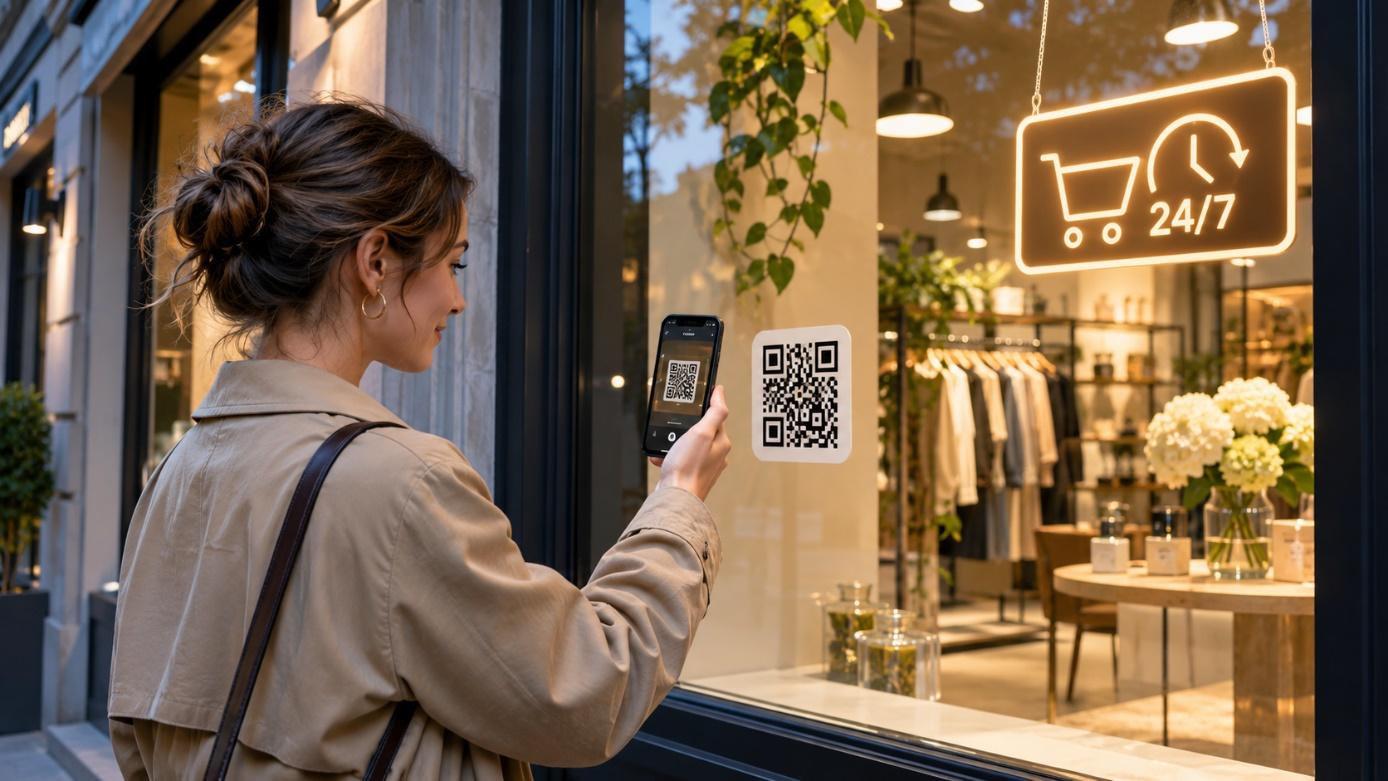
When a business closes its doors, its communication doesn’t have to stop. Every evening, every Sunday, and every holiday, passersby stop in front of your business. They’re interested in your products, looking for your hours, or wanting to make a reservation, but they can’t come inside and often leave empty-handed.
A QR Code in the Storefront It’s a game-changer. With Wisikard, a simple scan from the sidewalk opens your digital business card, your Kard… and turn that missed visit into a first point of contact. Your business remains accessible 24/7—even when you’re not there.
Why put a QR Code on your store’s window?
The storefront is often the first point of contact between a business and its future customers. It showcases your business, highlights your products, and catches the attention of passersby. But its message is limited to what can be displayed behind a window, and it ends where the passerby’s curiosity begins.
The QR Code extends this message. It offers passersby direct access to all the information that won’t fit on a poster, and it does so at the exact moment when their interest is at its peak: when they’re standing right in front of your store.
- You’ll never miss out on visits outside of business hours again : Sunday shoppers can save your contact information, view your services, or book an appointment.
- Streamline your storefront : No need for multiple signs—all your information fits on a single page.
- You make it easier for customers to return : By saving your contact information, customers can easily find you when they’re ready to make a purchase.
Turn your storefront into an interactive communication tool
By adding a Wisikard QR Code to your storefront, you make your communication interactive. From their smartphones, passersby can access your Kard and find:
- Your business hours, to find out when to come back;
- Your contact information : phone number, email, address, and directions;
- Your products and services, including your prices if you’d like;
- Your social media accounts, to stay up to date with your news;
- Your projects, in photos;
- your Appointment booking link, to book without waiting for the store to open;
- your Google Reviews, to put them at ease before their first visit.
All of this information is centralized on a single page, accessible in just a few seconds, No app download required. All they need is their smartphone’s camera.
QR Code in Your Storefront: Applications Tailored to Every Industry
The QR code in your storefront meets the needs of many business owners. Each one highlights the information most useful to their customers.
Beauty salons and hair salons
Showcase your services and prices, and allow customers to Book an appointment online. A customer walking past your salon one evening can book her appointment even before you reopen.
Restaurants
Make your Menu accessible to passersby…even outside of business hours. Add your reservation number and customer reviews to win over those who are still on the fence. Also check out our page dedicated to Restaurants.
Auto Repair Shops
Showcase your services (maintenance, repairs, bodywork, tires) and make it easier for appointment requests. A driver can contact you as soon as they spot your auto repair shop. More ideas on our page auto repair shops.
Real Estate Agencies
Let visitors View your online listings and find your advisors’ contact information, even when the branch is closed. See our page real estate agencies.
Retail Stores and Local Businesses
Florists, bakeries, clothing stores, and home decor shops: showcase your new arrivals, special hours, and social media channels to stay connected with your local customers.
No matter what you do, you can customize your Kard to fit your business and the information you want to share.
Information that’s always up to date—without changing the QR Code
A business’s hours, prices, and services change regularly. With a standard QR code that links to a poster or PDF, every change requires reprinting everything.
With Wisikard, the QR Code takes users directly to your Kard. You Update the content from your dashboard without ever replacing the QR Code Stuck on your storefront window. Updates are immediate for everyone who scans it.
This flexibility is particularly useful:
- during Holiday seasons and their extended hours;
- during your annual leave, to indicate your return date;
- in case of Schedule changes ;
- When launching a New Offer or a promotion.
How to properly install your QR code in your store window?
A QR Code is only useful if it’s scanned. A few best practices make all the difference:
- Place it at eye level, between approximately 1.20 m and 1.60 m, where the eye naturally falls.
- Choose a visible, well-lit locationPlace it near the door or next to your hours of operation, and make sure it remains legible at night.
- Adjust the size based on the reading distance : The farther away the passerby is, the larger the QR Code should be. A size of at least 10 cm on each side works well for a storefront window.
- Ensure good contrast : A dark QR Code on a light background is easier to read. Avoid glare that makes it hard to scan.
- Add a call-to-action phrase that makes people want to scan it.
- Test it before installing it, using multiple smartphones, at the distance your passersby will be standing.
A simple message such as “Discover our services,” “Book even when we’re closed,” or “Find all our information here” clearly highlights the purpose of the QR Code and increases the number of scans.
Extend the customer relationship beyond business hours
Wisikard creates a link between your physical location and your digital presence. Your storefront is no longer limited to showcasing your business—it becomes a Permanent access point tailored to your professional world.
Even when your business is closed, your future customers can still discover your business, browse your services, and plan their next visit. The QR code in your storefront window can also be featured on your other marketing materials: business cards, flyers, the counter, or NFC-enabled physical media. One link, everywhere.
Frequently Asked Questions About QR Codes in Storefronts
Do you need an app to scan the QR Code?
No. The camera on most smartphones recognizes QR codes automatically. Your Kard opens in the browser—no installation required.
Do I need to change the QR Code if my hours change?
No. The QR Code opens your Kard: all you need to do is update your information in your Wisikard dashboard. The QR Code that’s already installed remains valid.
What size should you choose for a QR code in your storefront window?
Allow at least 10 cm on each side for comfortable scanning from the sidewalk, and more if the QR Code needs to be scanned from a distance. Always test it under real-world conditions.
Is a QR code in the storefront window suitable for all types of businesses?
Yes. Whether you run a retail store, restaurant, beauty salon, auto repair shop, or agency, every business owner can choose which information to display on their Kard based on their specific line of business.
What if your storefront could keep promoting your business for you, even after closing time? Discover Wisikard and create your Kard at wisikard.fr.